I did my first capture the flag!! It was Operation Cymbal: Cold Room, hosted by Google Cloud Security, the Google Cloud Security Community, and Hack The Box, and you can watch the kickoff livestream here. It was SO much fun and I want to tell you about all of it, the chaos included.
If you've been sitting on the "I'm not ready for a CTF" fence, this one's for you. I was on that fence for a LONG time. Spoiler: you're ready!!!
Wait, what's a CTF?
A CTF (capture the flag) is a security competition where you solve challenges to find hidden strings of text called flags. A flag usually looks something like HTB{s0me_t3xt_h3re}. You find it, you paste it in, you get points. That's the whole game!
Some CTFs are all about hacking into things (offense). This one was blue team, which means instead of breaking in, you're the one investigating after someone else already did. Here's the setup they gave us:
Cymbal Investments collapsed after three seemingly unrelated attacks. The entire breach environment has been frozen in time. As a Certified Reconstructor, your mission is to jump in, dig through the evidence, and reconstruct what actually happened before anyone else.
(Frozen in time. Cold Room. I see what you did there. 🧊)
The format: a 1 hour live kickoff, then 72 hours of access, 3 tracks (Investigation, Threat Hunting, and AI Misuse, one per attack), and 6 flags per track for 18 total.
It started like every good live presentation
With audio issues. 😅 If you've ever presented anything live, you know the first five minutes belong to the tech gods and there's nothing you can do about it.
Then came the trolls. There were A LOT of them, and the moderators got them out FAST. The stream had a feature that put your comment up on screen, big, instead of leaving it in chat. A few folks used it to promote their LinkedIn profiles. Most of the spam, though, was people upset that they didn't have Google SecOps access yet (SecOps is the platform we played on, more on that below). Wooo saaaaa, friends. NO ONE had access yet :-p The folks who kept shouting WHERE'S SECOPS??????? got booted too hahaha. Honestly, most of the chaos was people frantically asking how to get into things that were already laid out in our confirmation emails. Such is life lol.
Shout out to whoever was on mod duty, because that chat could have been a disaster and it just wasn't.
The last thing that happened before we all got started: some folks had allegedly brute forced all the flags before the event even started. (Brute forcing here means throwing guess after guess at the flag submission box until something sticks, instead of actually solving the challenge.) How did we know? Nobody had access to the SecOps platform yet, so there was no way to actually solve anything. Plus the usernames were all "pwn" lol. (Pwn is hacker slang for "owned," as in "I totally took over that thing.") The organizers' fix was to hide the leaderboard from view and make sure those folks aren't in contention for any prizes. Which, honestly? Love that for us. Without the leaderboard staring at me, I could just play and learn at my own pace, and that took a ton of pressure off.
The platform: Google SecOps
Since Google Cloud Security was one of the hosts, the challenges ran on their SecOps platform. I had NEVER used it before, so this was a great excuse to poke at it.
SecOps has a lot of tools in it, and I'll be honest, I barely touched most of them. I lived in the SIEM search. (A SIEM, short for Security Information and Event Management, is the big pile of logs a security team collects from across the company, plus a way to search through all of them.) In SecOps that's called UDM search. UDM stands for Unified Data Model, which is Google's way of putting logs from a bunch of different tools into the same format so you can search them all the same way.
That's my first tip, actually: you do NOT need to master every tool in a platform to have a good time. Pick the one that gets you answers and get comfy there. You can explore the rest next time.
Funny story on that one. I DID peek at one of the flag hints, and it told me to start in the SOAR. (SOAR is Security Orchestration, Automation, and Response, the part of the platform where you build automated playbooks and work cases.) So I tried! I didn't like it, I couldn't find what I was looking for, so I went right back to the SIEM... and found it there lol. The hint wasn't wrong, there's usually more than one path to a flag. Take the one that makes sense to your brain.
What a query looks like
The event's closed now, so here's an example of the kind of search I was running, in case you've never seen UDM search before:
metadata.event_type = "NETWORK_CONNECTION" and network.direction = "OUTBOUND"
match:
  principal.ip, target.ip
outcome:
  $unique_requests = count_distinct(metadata.id)
Let's break it down, line by line:
- The first line is the filter. Only show me network connections, and only the ones going OUT of the network.
match:groups the results. Instead of a giant wall of individual events, it bundles them up by pairs: this inside IP (principal, the machine doing the thing) talking to that outside IP (target, the thing it's talking to). Heads up:principalandtargetare SecOps UDM's own names for these. Every tool sends logs with its own field names (one might saysrc_ip, anothersource.address), and UDM normalizes them all into the same fields. Other SIEMs use different names, so don't expectprincipalto work everywhere!outcome:does the math. For each pair, count how many unique events there were. (metadata.idis each event's unique ID, so counting the distinct ones means each connection only gets counted once.)
So instead of scrolling through thousands of connections, you get a tidy little table: who talked to who, and how much. That's SO useful for spotting the weird stuff. A machine that's chatting with one random outside IP way more than anything else? That's a thread worth pulling. (If you've done pivoting before, this is the same itch, just in logs instead of domains!)
The pop-up that would not die
Capture the flags often utilize unique sandbox versions of tools and curated scenarios specifically for the exercise. That means they don't get enterprise QA and that is totally to be expected. I did run into one bug? Or just an overzealous pop-up? :-p Every single time I refreshed or opened a new tab, a pop-up for an AI feature showed up, and I could NOT close it. There was no working X, at least in Firefox. So every. single. time. I had to open the AI feature and then close it just to get back to my search.
Was it annoying? Extremely lol. Did it ruin anything? Nope. If you hit something like that in your first CTF, that's normal! It's bound to happen and a big live event is basically a stress test. Find your workaround and keep hunting.
How it went: coffee, chaos, and 18 flags
I took my sweet time lol. I did the whole thing on a Saturday morning over coffee, which I highly recommend as a CTF vibe.
Here's my starting line, for the record:
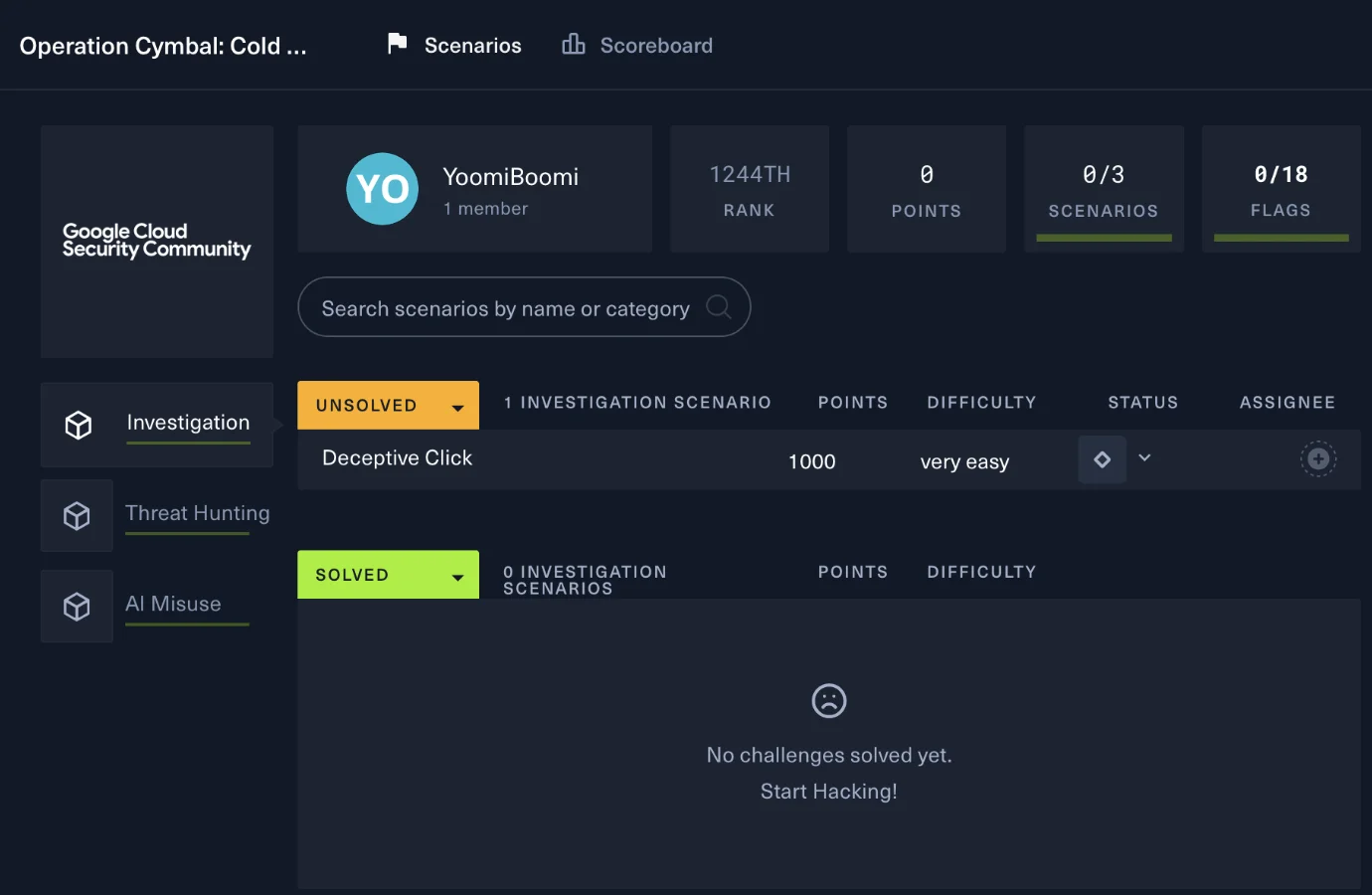
Zero points, rank 1244, and a little sad face. We ALL start there!
My goal was NEVER to win. My goal was to see if I could do my first CTF at all. If your goal is to win, go for it, I love that for you! But know that there are events like this one that give you a long window (72 hours here) so you can take your time and learn at your own pace. Those are perfect for a first one.
I also accidentally started with the HARDEST of the three tracks. (It was still only rated medium, so don't let that scare you off.) But working backwards from there turned out to be a really pleasant flow. By the time I got to the easier tracks, I already knew my way around the logs and the platform, so they felt like a victory lap.
And I got all 18 flags!! 🎉
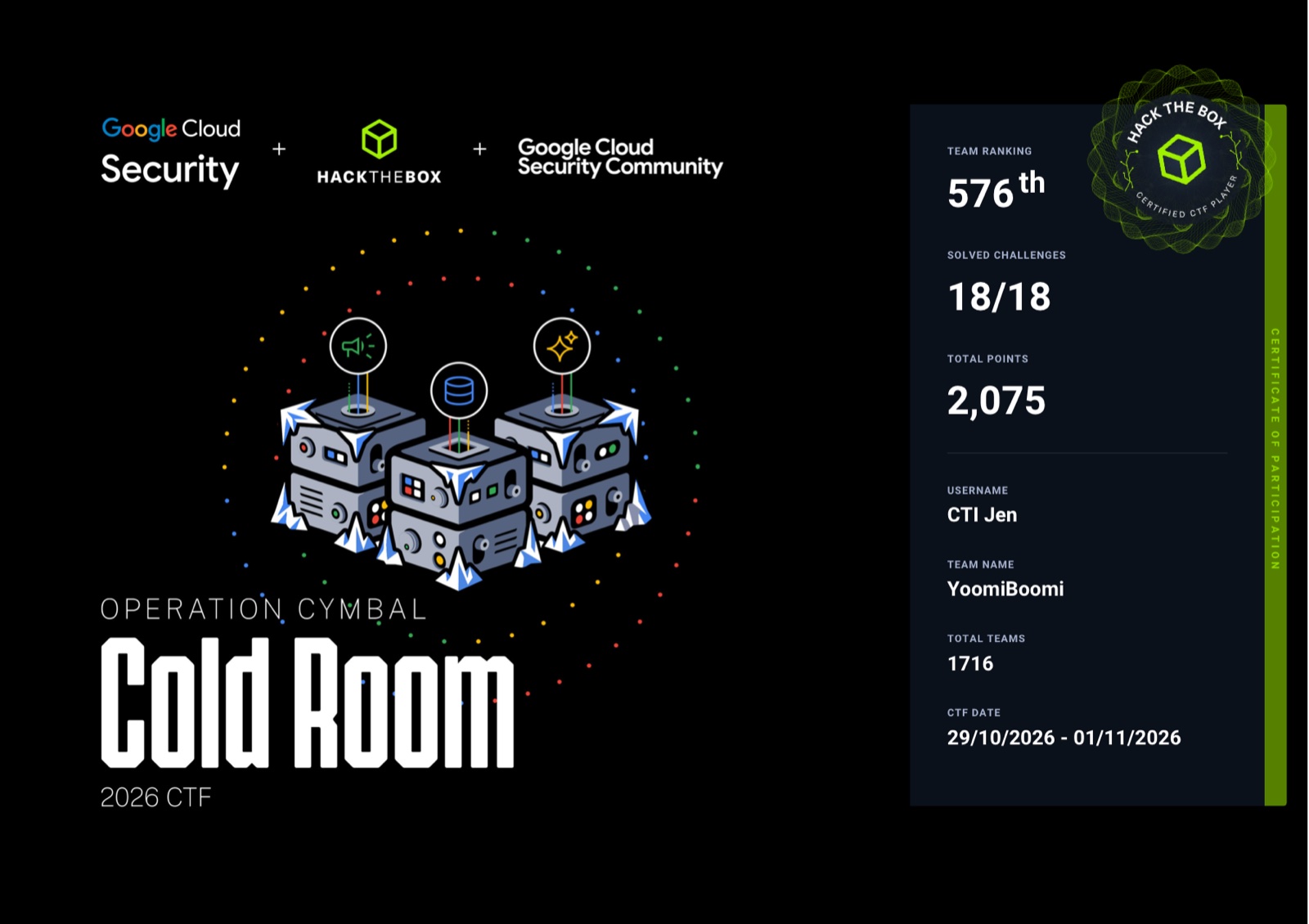
And look at that ranking: 576th out of 1,716 teams. I did NOT win lol. Not even close! I'm sharing it anyway because I think it matters to see someone who isn't at the top of the leaderboard talk about what it was actually like. Every flag still counts, and I learned a TON.
What I'd tell you before your first CTF
- Just sign up. You don't need to feel ready. A blue team CTF is a great first pick because it's a lot of searching and reasoning, and if you've done any log digging or pivoting, you already have the instincts.
- Take your time. A 72 hour window means you don't have to speedrun anything. Grab a coffee. Nobody's timing you except the brute forcers, and they got disqualified lol.
- Use the event as tool practice. I got real hands-on time in a platform I'd never touched, for free. That's a resume line and an interview story in one!
- Pick your goal. Winning is a totally valid goal! But if it's your first, "learn the platform" or "get 1 flag" is a great one too, and it makes the leaderboard way less scary.
- Expect chaos. Audio issues, trolls, bugs. It's all part of it and none of it means you're doing it wrong.
- Save your good queries. Future you will want them for a write up. (Hi, it's me, future me, using mine right now.)
Would I do it again?
ABSOLUTELY. Good hunting, good practice with new tools, and a whole lot of fun.
If you've been thinking about doing your first CTF, consider this your sign. And if you do one, tell me how it went, I wanna hear about it!
And a huge THANK YOU to Google Cloud Security, the Google Cloud Security Community, and Hack The Box for putting this on and having me! It was a great time and I can't wait to do it again soon!